
Call Screen & Ringtones Music
Aesthetic Themes AppsPersonalization
4.4439.00 Reviews
- Version
- 2.2.4
- Installs
- 10.00M
- Age Rating
- Everyone
Screenshots
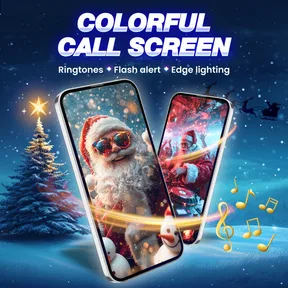
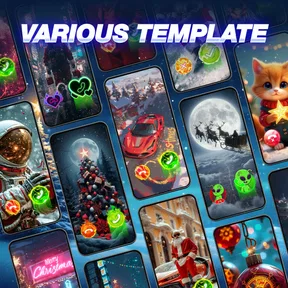
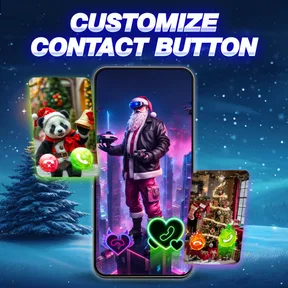
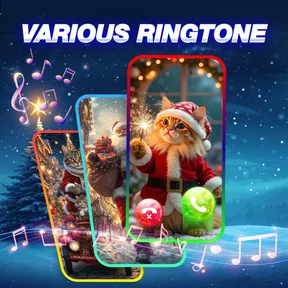


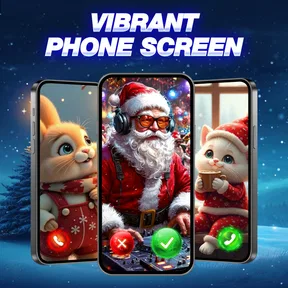
Our Review of Call Screen & Ringtones Music
 Analysis by Appyee
If your phone feels too plain whenever someone calls, Call Screen & Ringtones Music takes a very direct approach: it lets you give incoming calls a more decorative look and pair that visual style with ringtone-focused personalization. I found it most appealing as a small everyday customization tool rather than something essential. It is the kind of app I would suggest to a friend who wants a livelier call screen without replacing the phone itself.
What makes it worth a look is the combination of a personalized call screen, visual effects, flash alerts, and ringtone music in one place. The app comes from Aesthetic Themes Apps and sits in the personalization category. It is free to install, rated for Everyone, and the current release is version 2.2.2. Optional purchases range from $0.99 to $24.99 per item, so I would pay attention to which choices are free before committing to any premium-looking option.
What the first-time experience is really like
On opening the app, I would not expect a full replacement for the Android or iPhone calling system. Its role is narrower and more visual: it gives the incoming-call moment a designed appearance and adds ways to make alerts feel less ordinary. That distinction matters. If you want a complete dialer with contact management, call recording, spam protection, or a new phonebook, this is not the right type of download. If you want the screen that appears when a call arrives to feel more expressive, its purpose is much clearer.
The store summary mentions cool effects for the call screen, flash alerts, and ringtone music. In practical terms, I would approach those as separate layers of customization. The call screen is the main visual change, the effects provide the decorative personality, and the flash alert is useful when sound alone is easy to miss. Ringtone choices complete the setup, but I would treat them as a supporting feature rather than the reason to install the app.
The app has attracted a 4.5 average from around 39 thousand ratings and has passed 10 million installs. Those figures suggest that the idea is easy for many people to understand, but popularity does not remove the need to check how the design fits your phone. Call behavior can vary between devices, Android versions, battery settings, and the phone maker’s own interface. The minimum operating system is Android 8.0, which makes it accessible to a broad range of Android users, though newer phones may handle its visual presentation more smoothly.
My first recommendation is to decide what you want to improve before changing anything. Are you trying to make calls easier to notice, give a family member a distinctive visual signal, or simply replace a dull incoming-call appearance? A clear goal prevents the setup from becoming a hunt through every available theme. For most people, the best first target is one recognizable call screen and one ringtone that can be identified without looking down.
Setting it up without making the phone confusing
After installation, I would move slowly through the app rather than applying every effect at once. Start with the call-screen style, preview it if a preview is available, and choose something readable. Very busy backgrounds may look attractive in a screenshot but can make the caller’s name or controls harder to notice. I prefer a design with enough contrast around the important information, especially when a call arrives outdoors or in a dim room.
The next sensible step is the ringtone. A distinctive sound can be more useful than an elaborate animation because it works when the phone is in a pocket or across the room. I would choose a tone that is recognizable after a few notes but not so aggressive that it becomes irritating during repeated calls. If the app offers several music-oriented choices, listen to them at a normal volume rather than judging only from a short preview.
Flash alerts deserve a little more thought than they usually receive. They can help when the phone is muted or when you are in a noisy place, but they may be distracting in a meeting, cinema, bedroom, or shared room. I would enable this feature only if it solves a real problem for you. A visual alert is most useful when it complements a ringtone, not when it turns every incoming call into an unnecessarily conspicuous event.
A useful setup habit is to make one change, then place a test call from another phone. That gives you a realistic view of the result: whether the screen appears promptly, whether the ringtone is comfortable, and whether the flash effect is too strong. It is better than judging everything inside a menu because the actual incoming-call screen is the moment that matters.
Another practical tip is to keep the first design simple. Choose one theme and use it for a day before experimenting. This reveals whether the style remains pleasant after the novelty fades. It also makes troubleshooting easier. If something feels wrong, you know which recent change to undo instead of trying to remember several adjustments made in succession.
The first meaningful success
For a first-time user, success should mean more than opening a theme preview. It should mean receiving a real call and immediately recognizing the result as useful. I would set a clear ringtone, select a readable call-screen design, and ask someone you know to call once. When the call arrives, check three things: can you identify the caller comfortably, can you answer or reject the call without hesitation, and does the alert attract the right amount of attention?
This small test also answers an important question: does the app improve your routine or merely decorate it? If you often miss calls because your phone is buried in a bag, the flash-alert option may be the most valuable part. If you always keep the phone visible, the visual call screen may be enough. If you dislike attention-grabbing effects, a modest ringtone and restrained design may give you the benefit without making the phone feel overdone.
I especially like the idea of using a distinct style for a shared household phone or a device used by someone who has trouble noticing ordinary alerts. A recognizable combination of screen design and sound can reduce the need to inspect every notification. That is a more practical use than changing the appearance every few days simply for variety.
There is also a useful trade-off between personality and clarity. Bright colors, animated effects, and music-based ringtones can make the experience feel more personal, but they can compete with the information you need during a call. I would prioritize the caller’s name and the answer controls over visual drama. The best configuration is not necessarily the most colorful one; it is the one that communicates quickly.
Where new users may become confused
The biggest possible misunderstanding is assuming that a customization app controls every part of calling. It does not turn the phone into a different communications platform. Your normal calling behavior, contacts, and carrier service still matter. If the phone’s own interface takes priority in a particular situation, the result may not look exactly like the app’s preview. That is not necessarily a fault in the design; it is a reminder that this tool works alongside the phone system.
Another point to watch is the difference between a preview and a live incoming call. A preview can show the artwork and general layout, but a real call tests timing, readability, and interaction. I would never choose a design solely because its preview looks impressive. Make a test call before settling on it, particularly if you rely on the phone for work, appointments, or urgent family contact.
Premium choices can also create uncertainty for first-time users. The app is free, but it includes optional in-app purchases, with individual items priced from $0.99 up to $24.99. I would explore the free material first and avoid assuming that every visible design is included. If a particular effect or ringtone is locked, decide whether it adds enough value to justify the purchase rather than buying impulsively during setup.
That pricing range also changes how I judge the app. The free installation makes it easy to try, but the experience is not automatically a bargain if you only want one simple ringtone. For light customization, the free portion may be sufficient. For someone who wants a larger collection and intends to keep changing the phone’s appearance, the potential cost deserves more attention.
Battery and notification behavior are another reason to test rather than assume. Visual effects and flash alerts may be more noticeable than a standard ringtone, and some users will prefer to limit them. I would check the phone after a normal day of use and disable anything that feels excessive. The aim is a better call alert, not an alert that becomes a new source of distraction.
Privacy-conscious users should also take a measured approach to any app that interacts with incoming calls or notifications. I would read the permission prompts carefully and grant only what is necessary for the features I actually plan to use. If you are uncomfortable with an app appearing in the call experience, the phone’s built-in ringtone and notification settings are the safer, simpler alternative.
How it compares with the usual phone settings
The built-in settings are still the best option for people who only need to change a ringtone, assign a sound to a contact, or adjust basic notification behavior. They are usually more predictable and require less maintenance. Call Screen & Ringtones Music earns its place when you want a more noticeable visual layer and prefer browsing a dedicated personalization experience instead of assembling changes manually through several system menus.
Compared with a full third-party dialer, this app is more focused and less disruptive. You do not need to replace the entire way you make calls just to alter the incoming-call presentation. That narrower purpose is a strength for casual customization, but it also means you should not expect advanced contact tools or call-management features. Someone searching for spam filtering, business calling controls, or a unified communications hub should look elsewhere.
It also differs from a simple wallpaper or lock-screen app because its value appears at a specific moment: when the phone rings. That makes the customization more functional than a background image, but less constantly visible. If you rarely receive calls, you may not notice the benefit often enough to care. If incoming calls are part of your daily routine, the change becomes easier to appreciate.
The developer, Aesthetic Themes Apps, has clearly focused this product on visual and audio personalization rather than a broad utility suite. I see that focus as helpful for beginners because the concept is easy to grasp. At the same time, a focused app can feel unnecessary if your phone already provides an attractive call screen or if you prefer a quiet, minimal interface.
Small workflows that make the app more useful
One workflow I would recommend is separating recognition from decoration. Pick a ringtone that tells you who is calling only in a broad sense, such as a family or work-related sound, and use the call-screen design for the visual character. This avoids choosing a complicated animation and a loud ringtone at the same time. The phone remains easy to understand while still feeling customized.
A second workflow is to use flash alerts selectively. They can be helpful for a phone kept face down, placed in a bright workspace, or used by someone who does not always hear audio. I would avoid treating the flash as an always-on effect. Enable it for the situations where it solves missed calls, then turn it off when it becomes disruptive. This kind of selective use is more comfortable than leaving every attention feature active permanently.
A third is to create a “settled” configuration before exploring extras. First confirm that the call screen works, the ringtone is pleasant, and the controls remain clear. Only then try additional effects. This order matters because visual extras can hide the real question: whether the app has improved the phone’s basic calling experience.
For a parent or less technical relative, I would configure the app together and stop after one successful test call. Too many choices can make a personalization app feel like a chore. A single high-contrast design, a familiar ringtone, and a sensible alert are often more useful than a large collection of changing themes.
Who should try it, and who should skip it
I think this app is a good match for Android users who enjoy customizing their devices, want incoming calls to stand out, or need a more noticeable alert than the standard phone setup provides. It is also approachable for someone who has never used a call-screen customization tool because the outcome is easy to understand: make the ringing moment look and sound more personal.
I would be more cautious if you value minimalism, dislike animated or flashy alerts, or already like the phone manufacturer’s call interface. The app may add more visual activity than you want. I would also skip it if your main goal is professional call management, contact organization, spam control, or recording. Those needs belong to a different category of tool.
People using older Android devices should begin with a restrained design and test it during ordinary use. The minimum supported system is Android 8.0, but compatibility alone does not guarantee that every visual behavior will feel identical across phones. A simple setup is easier to live with and easier to troubleshoot than an elaborate one.
My next-step recommendation
My advice is to install it only if the incoming-call screen is something you genuinely want to personalize. Begin with one free-looking design, one comfortable ringtone, and no flash alert unless you regularly miss calls. Make a real test call, use the setup for a day, and then decide whether the extra effects improve your routine. This path gives you a meaningful result quickly without turning the process into a long customization project.
After that first day, ask yourself whether the app helped you notice calls, recognize them, or simply enjoy the phone more. Any of those can be a valid reason to keep it, but they lead to different settings. Increase visibility if you miss calls, simplify the design if the screen feels busy, or leave the setup alone if it already works.
Overall, I see Call Screen & Ringtones Music as a focused personalization app with a clear everyday purpose. Its strongest point is the way it combines a redesigned incoming-call appearance with sound and alert options, while its main weakness is that the added effects may be unnecessary or distracting for users who prefer the phone’s default behavior. With a cautious setup and a real test call, it is easy to decide whether the visual upgrade is worth keeping.
For me, the recommendation is straightforward: try it if you want calls to feel more distinctive, but judge it by clarity and usefulness rather than by the most dramatic preview. The app is free to start, available to Everyone, and supported by a large user base, yet the right experience depends on choosing only the features that fit your habits. Used that way, it can turn an ordinary ring into a more recognizable and personal part of the day.
Verdict
Strengths of Call Screen & Ringtones Music
- Quickly identifies unknown callers before you answer.
- Offers a wide selection of ringtones and notification sounds.
- Simple interface makes customization easy for new users.
- Caller-screen tools can help reduce unwanted interruptions.
- Works well for users who want contacts and sounds in one app.
Limitations of Call Screen & Ringtones Music
- Some features may require in-app purchases or a subscription.
- Ad-supported screens can make navigation feel less streamlined.
- Caller identification may be inaccurate for unfamiliar numbers.
- Extra permissions may be requested for calling and contact features.
- Sound quality and available options can vary between devices.
Other Releases by Aesthetic Themes Apps
View All
DIY Wallpaper & Collage Maker
Personalization4.9
Similar Picks in This Category
View All
Microsoft SwiftKey AI Keyboard
SwiftKey4.3

Wallpapers
Google LLC4.1

Zedge™ Wallpapers & Ringtones
Zedge4.7

Yandex Browser with Alice AI
Direct Cursus Computer Systems Trading LLC4.3

Ringtone Maker:create ringtone
Big Bang Inc.4.7

Fonts Keyboard
Fonts Keyboard3.9
Frequently Asked Questions
What is Call Screen & Ringtones Music, and what can it do?
Call Screen & Ringtones Music is a personalization app designed to make incoming calls more visually and audibly distinctive. It may let you customize caller screens, choose music or sound effects for ringtones, and apply different styles to contacts. Before downloading, check the app’s current feature list because available tools can vary by device, Android or iOS version, and regional release.
Does Call Screen & Ringtones Music work on every Android or iPhone?
Compatibility depends on your operating system, phone manufacturer, and the permissions supported by your device. Android phones generally offer more flexibility for changing default ringtone and caller-screen behavior, while iPhones may restrict how third-party apps interact with incoming calls. Review the store listing, minimum software requirements, and recent user feedback before installing to confirm that your model is supported.
What permissions does the app require, and are they safe to allow?
A call-screen and ringtone app may request access to notifications, contacts, audio files, storage or media, and sometimes phone-related functions so it can display caller information or apply selected sounds. Only grant permissions that match the feature you want to use. Read the privacy policy carefully, especially how contacts, call information, and uploaded music are collected, stored, or shared.
Can I use my own music or assign different ringtones to contacts?
The app may include a library of built-in sounds and could also support music or audio files already saved on your device. Whether you can assign individual ringtones to specific contacts depends on your operating system and the app’s permissions. Some formats may not be supported, and certain customization options may require an upgrade or may work only on compatible Android devices.
Is Call Screen & Ringtones Music free to download and use?
The application may be free to install while offering advertising, optional premium features, subscriptions, or in-app purchases. Basic ringtone or caller-screen tools may be available without payment, but advanced themes, exclusive sounds, ad removal, or unlimited customization can be restricted. Check the official store page for current pricing and cancellation terms before starting any trial or subscription.
